





FeaturesOnline store

Your shop, still open at 11pm.

The day you sign up, your shop already has its own address: app.sharepact.com/n/your-name. Your catalog, packages, hours and contact details are there, and every item has a page of its own with photos and rates, so anyone who finds it picks dates and books without calling you. You edit it right on the page, like a social media profile.

Online store in the Sharepact console, on a laptop

Catalog and a page for every itemEdited on the page, photo at the top includedBooking by date

Catalog

The right bike in two taps.

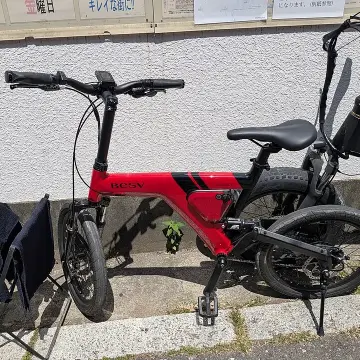
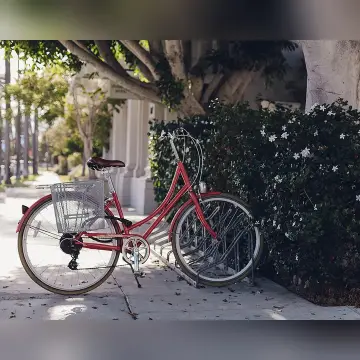
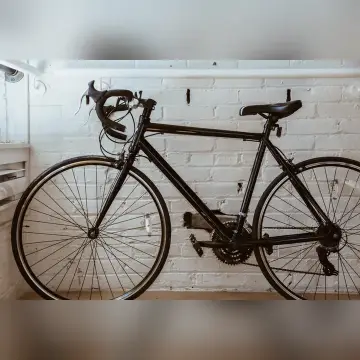
Items come from your inventory with their photos and daily price, sorted by category. Search “bianchi” and only the Bianchi bikes are left. One tap on a card opens the item’s page: every photo, the description, the rates, the sizes and how many units are free on their dates.

  • Categories come from the items you have
  • Search by name and description
  • A page for every item, with a link to send on WhatsApp
Packages

Bike and helmet, one price.

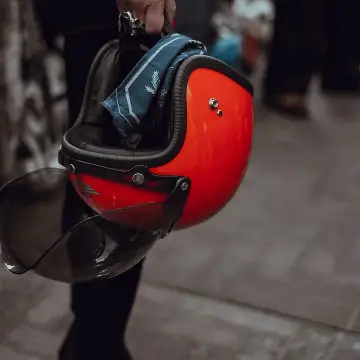
Above the catalog, the store shows your packages, and each one has its own page too: what’s included, the price for the chosen days and what the pieces would cost separately. Someone with their own helmet unticks it and pays less, someone who wants an extra ticks it. They pick their size, or leave it to the shop.

  • Fixed pieces, included ones to remove, extras to add
  • The price follows their choice and shows the saving
  • Size picked by the customer or decided in the shop

Editing

You change it right on the page, like a profile.

Press “Edit page” and your real store opens with a green button next to everything. The name and tagline are retyped where they’re read; logo, colour, hours, address, contact details and the photo at the top each have a panel. Customers see the change when you press “Save”, and for ten seconds you can still “Go back”.

  • The photo at the top, with the part that stays in view
  • Opening hours with a lunch break
  • “Go back” right after saving

Contact

Open or closed? They know before they set off.

The store reads your opening hours and shows “Open · closes at 12:30”; if you close for lunch, during the break it reads “Closed · opens at 15:30”, and in the evening “Closed · opens tomorrow at 09:00”. Next to the address there’s a link for directions, and on a phone people can call you or message you on WhatsApp without copying your number.

  • Weekly hours, lunch break included
  • Directions with Google Maps
  • Call, WhatsApp and email

Trust

They know how it works before they pay.

On the photo at the top, under the dates, the store answers the four things a first-time customer wants to know. Payment is online, their identity gets verified, the deposit comes back at return and the item is picked up in the shop. Your rental terms have a page of their own.

  • “Verified shop” badge
  • Rental terms published

Works with

All features

Frequently asked questions

Updated 7 November 2026

Do I need a website first?

No. The store is your own address on app.sharepact.com and works on its own. If you do have a website, just put the link on it.

How do I customize it?

Right on the page. Press “Edit page”, at the bottom of the console’s left column or on the Home page, and use the green buttons to change name, tagline, logo, colour, hours, address, contact details and the photo at the top. Item photos and prices come from your inventory.

Can I put a photo of my shop at the top of the page?

Yes. The store always has a photo at the top: to start with, a default photo picked from your items, bikes, skis or a valley. In edit mode press “Change photo”, pick your own and drag it to choose which part stays in view; the panel shows you how it looks on a phone and on a computer. If you remove it, the default photo comes back.

What languages do customers see it in?

Italian, English or French, depending on the language of their phone: the store, item pages, booking and payment. The text you write yourself stays as you wrote it.

Does it show up on Google?

The page is public and carries your shop’s details in a form search engines can read: name, address, opening hours, lunch break included. Every item and package has its own page with a title, description and photo, and on WhatsApp the link shows a preview.

What if I close for the holidays?

Turn on holiday mode with your dates and the store’s calendar blocks them.

Can I sell a skis, boots and helmet package?

Yes. A package puts together items you already have, with a discount on the total or a fixed daily price. Each piece can be fixed, included but removable (someone with their own boots pays less) or an extra to add. On the store the customer ticks the pieces and sees the price change.

Your shop, sorted by tomorrow morning.

Set up your shop, add your items and run your first rental at the counter.

We’re choosing our first partner shops.

The rental platform for items from individuals and shops, with ID verification and deposits held on the card

Sharepact© 2026 All rights reserved.
